Login for Admin users
How to login on the central domain of EvaluationsHub?
On this page we will go over the different elements that you can find on the login screen, and how to navigate the login steps.
This is how the login screen looks like:

You have to enter your business email address and password that you used during the registration process.
In EvaluationsHub, the login experience is designed to automatically direct users to the correct workspace based on their access rights.
🔹 Admin Login: Administrators manage subscriptions, branding, and platform-wide settings via the central login portal at www.evaluationshub.co/login.
🔹 Automatic Redirection for Users: When a user logs in through the central domain, EvaluationsHub automatically redirects them to the correct custom domain based on their access. This could be:
- Their own company's EvaluationsHub domain (e.g., https://companyname.evaluationshub.co).
- The custom domain of a company that invited them to participate in evaluations (e.g., a supplier or customer’s workspace).
This ensures that users always land in the relevant environment where they can access evaluations, tasks, and company-specific workflows without confusion.
💡 Your correct login link has been shared in your welcome email. If you’re unsure, visit the central login page, and you’ll be automatically redirected to the appropriate workspace.
What is an OTP? One-Time Password
This is the One-Time Password. It is one way of two-factor authentification, or in other words a way to better protect your login against malware or bots that try to login with your email address.
We have OTP for all users. You will receive this email from 'Notifications Team of EvaluationsHub', with the subject 'App Login Request', and sent by
notifications@evaluationshub.com. This is how it looks:
In this email you will find 4 digits, and it could look like this:
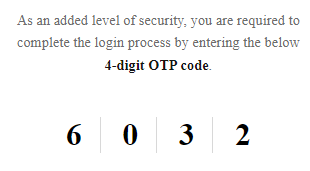
You will need to manually enter these digits in the right order in the login screen.

A new 4-digit OTP code is generated each time a login request is made

The OTP code is only valid for 10 minutes.
If you get to see a pop-up message that says OTP expired. You will have to click on the 'Resend' button, and check your inbox again.
Forgot your password. How to reset your password?
In case that you forgot your password
you will need to click the button 'Forgot Password?' Forgot Password? . You will then get redirected to the following screen:
Enter your email address, and in case you have successfully registered your email address in the past, you will receive an email from
notifications@evaluationshub.com to choose a new password. Check your spam folder in your emails if you don't receive an email within 2 minutes.